PowerOptimal Elon 100 Installation Manual v1.40 (Elon 100 units pre-2019)
PLEASE NOTE:
This manual is for old Elon® 100s up to August 2019.
See https://poweroptimal.com/manuals/ for manuals & guides for new Elons from September 2019 onwards.
(How do I know if I have an old or new Elon® 100? The controller for the old version says “Efficiency” below the dial (knob), whilst the controller for the new version has “Turn anticlockwise to increase solar hours” below the dial.)


PowerOptimal Elon 100 Installation Guide
Version date: 2019/09/19
Enquiries: [email protected]
Address: PO Box 39521
Capricorn Square
7948
Cape Town

SAFETY WARNING
- Installation of the Elon 100 should ONLY be performed by an electrical contractor registered with the Department of Labour (the so-called “wireman’s licence”) and strictly according to the installation instructions in this manual. The electrician should provide you with a Certificate of Compliance (CoC) once installation is completed.
- We strongly recommend that you use a reputable and experienced solar photovoltaic (PV) system installer to install your solar PV modules.
- Solar PV modules exposed to the sun are live (i.e. will produce electricity) and can give an electric shock. Special care should be taken and only trained solar PV installers should install the modules.
- Do not attempt to alter or service the electrical installation, or open the Elon 100 unit or controller for any purpose.
- Use the Elon 100 only for its intended purpose.
- Always make sure that every wiring connection is properly tightened.
- Do not earth either of the solar module wires (but do earth the frames).
- All installation wiring should be at least 2.5mm².
- Avoid coiling, since DC switching can create damaging spikes.
- Keep all wires as short as possible.
 Refer to the PowerOptimal website for the Elon 100 User Manual:
www.poweroptimal.com/manuals
Table of Contents
Table of Contents 3
1. Required tools 4
2. Basic wiring diagram 5
3. Solar PV array installation 6
4. Elon 100 installation 8
5. Element installation (retrofit) 11
Appendix A. Solar yield 13
A1. Solar irradiance levels 13
A2. Geographic features 14
A3. Azimuth / horizontal angle 14
A4. Inclination or tilt angle 14
A5. Shading 14
A6. Ambient temperature 15
Appendix B. Deciding on Size of Solar Array 16
Appendix C. PV array and geyser (water heater) element matching 21
Appendix D. Technical Specification Summary: Elon 100 22
Appendix E. IEC/SANS Test Certificate: Elon 100 23
Appendix F. Warranty 24
Appendix G. Terminology 25
Notes 26
1. Required tools
The following tools are required for the installation. Use insulated tools wherever applicable.
- Solar modules (mounting) - please refer to solar module / mounting installation instructions – the below is only a guideline:
- Cordless screwdriver with bits
- Drill
- Set of drill bits (wood, steel, stone)
- Set of screwdrivers
- Set of Allen (hex) keys
- Tape measure
- Grinder (tile roof installations)
- Permanent marker
- Chalk
- Hammer
- Solar modules (electrical):
- AC/DC Clamp meter
- Side-cutting pliers
- Screwdriver set
- Crimping tool
- 4 mm² wire (double insulated) (or other size as determined by solar PV voltage and wire length)
- Cable ties
- Elon 100 - the following additional tools:
- Drill or punch (to make holes for glands)
- 2.5 mm² panel wire
2. Basic wiring diagram
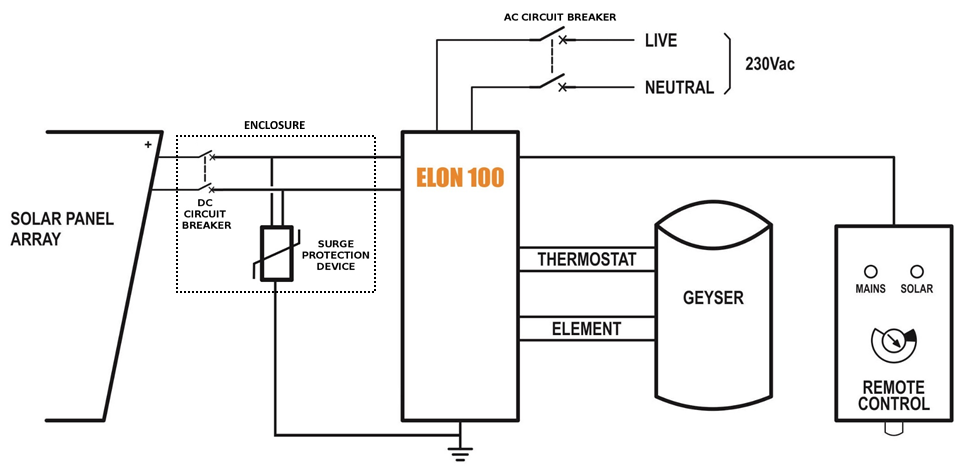
Note: Both AC & DC circuit breakers should be installed within 1.5m of the geyser (water heater), line of sight.
3. Solar PV array installation
Modules should only be installed by a trained solar PV installation technician. Array position and orientation have a major impact on power production (see Appendix A).
Review the instructions from your solar PV module supplier / manufacturer on installation.
 Please note: A South African standard for low voltage embedded generation installations is being developed (SANS 10142:3). In the absence of this standard, your solar PV installation technician should follow SANS 10142:1 (Standard for low voltage installations), and can refer to interim guidelines in anticipation of the SANS 10142:3 standard – see for example the document provided by PQRS:
SAPVIA (South African Photovoltaic Industry Association) has made available an excellent guide to solar PV installations. See:
https://www.pvgreencard.co.za/Solar%20PV%20Guidelines%20-%20Digital%20Spread%20High-res.pdf
NB: Refer to Appendices B & C for guidelines on selecting the right size solar PV array for the user requirements, and for correctly matching the solar PV array and the geyser element.
The below installation steps are a general guide only – refer to the abovementioned standards and guidelines.
- A very important starting point is safety gear: ensure that all installers wear a helmet and insulated safety gloves, as well as fall protection safety gear if work will be done on a roof or elevated area.
- The solar PV array should only consist of one string of 3 to 6 modules (60-cell) or 3 to 5 modules (72 cell) in series, or two parallel strings of 8 (2 x 4) or 10 (2 x 5) modules. Do not exceed the DC voltage or current ratings of the Elon 100 (220V DC and 20A DC) under any circumstances.
- Attach bracket / mounting structure to roof. Use mounting structure recommended by solar module supplier for roof type and size of solar modules.
- Fix the solar PV modules to the mounting structure whilst connecting the module cables to each other.
- If practical, cover the modules to ensure that there is no potential for electric shock whilst installing the system.
- Ground the mounting structure only.
- Install the wiring from the solar PV array to the Elon 100 unit in the ceiling space. Ensure circuit breakers / isolators are in the “Open” position. Installation of a Surge Protective Device (SPD) between the solar PV array and the Elon 100 is recommended.
- Last step is to connect the array to the rest of the wiring, making sure that both the positive and negative wires are fully isolated from ground and keeping circuit breakers / isolators in the “Open” position.
Some “DO’s & DON’T’s” when installing solar PV arrays:
Your solar PV installer should not make any of these basic mistakes, but they are listed here just in case.
- DO earth the PV array structure.
- DO isolate the wires from the PV array structure.
- DON’T use different sizes, types or specifications of modules together in the same string or array.
- DON’T install solar arrays where they will be partially shaded during any season of the year if it can be avoided at all.
- DO install the arrays so that there is space for inspection or maintenance when needed.
- DO use cabling of the correct size for your solar array.
- DON’T install the solar array flush with your rooftop. Use struts / brackets that ensure an unrestricted air gap of at least 40 mm between the roof and the modules.
- DON’T walk on the modules.
- DO ensure that connectors are kept clean and away from water.
- DON’T leave exposed modules in short circuit.
- DO ensure that all connectors are securely fastened.
- DON’T exceed the voltage ratings of any components.
- DO properly route and secure all cables.
- DON’T coil cables.
4. Elon 100 installation
- Isolate the geyser – switch off the geyser circuit breaker at the main electrical distribution board (DB) AND switch off the geyser isolator at the geyser.
- Confirm with a multimeter that there is no voltage across the wires.
- Install circuit breaker (or isolator and fuse) for solar PV (DC) supply. Also install AC supply isolator / circuit breaker if there is none. NB Ensure that the DC circuit breaker is rated for the DC voltage and current of the installed solar PV array.
- The circuit breakers / isolators must be installed within 1.5m of the geyser, and must be line of sight / visible (i.e. do not install them at the back of the geyser).
- The DC wires must not be earthed – i.e. they must be fully isolated from earth. Do NOT test with a Megger.
- Keep the DC wires as short as possible.
- Avoid any coils in DC wires.
- Recommended wiring size is at least 2.5 mm². Use panel wire for all connections to the Elon 100.
- Install the Elon 100 unit according to wiring diagram (see Section 2).
- Mount the Elon 100 unit close to the geyser and protect from outside elements.
- Mount the controller (remote control) inside or next to the main DB in the house or in another convenient and accessible location (for example the garage). Double-sided mounting tape and Genkem contact adhesive work well for most surfaces.
- Connect the Elon 100 and thermostat last.
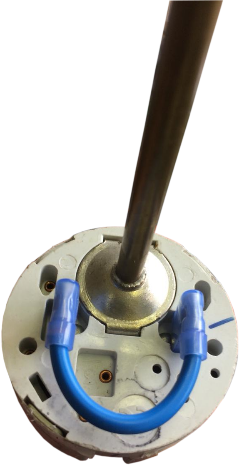 Note: As per the wiring diagram, the thermostat and element should be connected to the Elon SEPARATELY (independently). For TSE and Thermowatt (RTS) thermostats, connect the Elon directly to the two screw terminals and short the two male terminals at the bottom together, using the bridging wire with female connectors supplied with the Elon 100 (Figures 4.1 and 4.2). (Less then 20 mA DC current will flow through this wire – it is a sensing current only.) There must be no connection between the thermostat and the element.
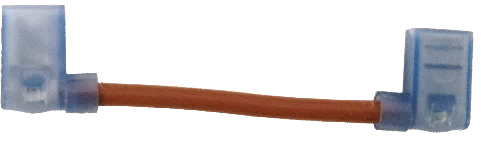
Figure 4.2 Bridging wire fitted to TSE Thermostat
Figure 4.1 Bridging wire for TSE & Thermowatt thermostats
- Connect the two element terminals directly to the connectors marked “element” on the Elon. For flange-type elements, use the supplied wiring with element adapter (see Figures 4.3 and 4.4 on the next page). For many elements, the female terminals are sunk too deep in the plastic cover, leading to poor connectivity. If this is the case, trim the tops of the plastic cover on the element so that it is flush with the tops of the female terminals. Make sure that the element adapter fits tightly into the element and that the two male connectors of the adapter are slotted correctly into the female terminals of the element. Crimp both terminals (you can do this through the plastic cover) to ensure a tight fit on both sides.
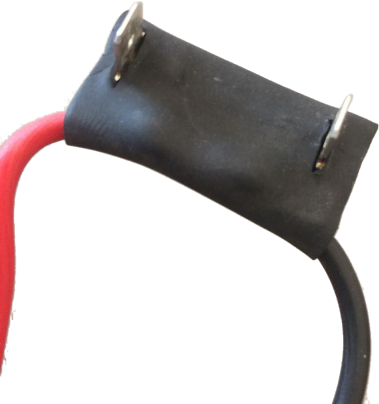
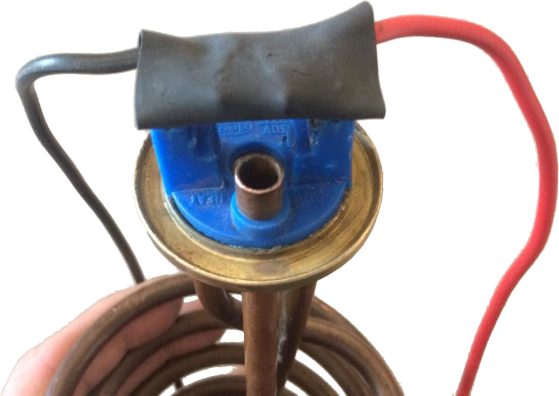
Figure 4.3 Element adapter
Figure 4.4 Element adapter fitted to flange-type element
- Attach installation diagram sticker (as provided) close by the geyser in a clearly visible position. (Do not attach it directly to the geyser, as it will disappear if the geyser is replaced.)
- Once installation is complete, do the following:
- Turn the control dial to "SOLAR ONLY".
- Switch on the AC & DC circuit breakers or isolators
- Remove the covering from the solar modules
- Switch on the geyser circuit breaker at the main DB.
- Check that Elon 100 unit is operational (refer to LED lights on controller – see below).
- Confirm solar PV array supply voltage and DC power to geyser when thermostat is closed. The Elon 100 will switch DC power to the geyser approximately 10 to 15 seconds after DC power to the Elon has been switched on (if there is enough sunlight). (If thermostat is not closed, open hot water tap in house until it closes.)
- Test mains override by pressing and holding the override button for 5 seconds. The red light should start flashing (except if geyser is already at thermostat setpoint temperature). NOTE THAT THE ELON WILL NOT SWITCH TO MAINS WITHIN 5 MINUTES OF MAINS POWER SWITCH-ON OR RECONNECTION. This is to allow grid power to stabilize after a power failure.
- Confirm that no power is supplied to geyser element when thermostat is open (turn thermostat set point to lowest setting).
- Set controller dial to desired control position (6 o’clock is good for an initial setting).
Note: if doing any maintenance, rewiring or disconnecting the Elon 100 or geyser element for any reason, it is good practice to first switch off both the AC & DC circuit breakers / isolators, and then disconnect one of the wires between the Elon 100 and thermostat before disconnecting the rest of the wires.
The Mains & solar indicator lights indicate the following conditions:
Lights | Meaning | |
| Mains (red) light flashing | Grid (mains) electricity is being used to heat water |
| Solar (green) light flashing | Solar power is being used to heat water. Rate of flashing indicates rate of solar energy supply |
| Red & green alternating | No power is being supplied to the geyser element. (Either the water is on temperature already, or the unit is in solar mode and there is not sufficient sunlight) |
| Red or green flashing very fast | Isolation fault (contact electrician) |
⏺⏺ | Red light ON | Solar power switched off (only grid power allowed to geyser). Press and hold override button for 15 seconds to switch solar power on or off. To switch off both solar and grid power, turn the dial to SOLAR ONLY and then switch off the solar power with the override button as described. |
⏺⏺ | Both lights OFF | No power to unit (e.g. no sun and a power failure, or no sun and geyser breaker at DB board is switched off) |
 ⏺⏺
⏺⏺ ⏺⏺
⏺⏺
 ⏺⏺
⏺⏺ ⏺⏺
⏺⏺ ⏺⏺
⏺⏺Controller settings for switching off solar or grid power to electric geyser
Desired state | Actions | DB board geyser switch | Controller dial position | Lights |
✓ Solar ON ✓ Grid ON | This is the default state. | ON | Anywhere outside the “Solar Only” zone | Normal operation (green and/or red flashing or both alternating) |
✓ Solar ON 🗶 Grid OFF | Turn controller dial anti-clockwise to the “Solar Only” zone indicated on the controller. Note: can still boost with grid power for one heating cycle by pressing the Override button for 5s. | ON | In the “Solar Only” zone | Green flashing or both lights alternating. Red would flash if override button has been used. |
🗶 Solar OFF ✓ Grid ON | Press Override button for 15s until the red light switches on permanently. Grid power is now always ON (24 hours per day). | ON | Anywhere outside the “Solar Only” zone | Red light on |
🗶 Solar OFF 🗶 Grid OFF | Turn efficiency dial all the way anti-clockwise into the "Solar Only" zone. Press Override button for 15s until the red light switches on permanently. | ON | In the “Solar Only” zone | Red light on |
5. Element installation (retrofit)
If you need to exchange the element on an existing geyser, please follow the instructions provided by the element supplier.
There are two main types of geyser heating elements: screw-in and flange type. There are also two main types of thermostats: VKF-11 and TSE. The below table provides a guide to Elon compatibility with the different elements and thermostats.
Element type | Compatible thermostat type | Comments |
|---|---|---|
|
| Element & thermostat have separate electrical connections, so each can be connected (wired) separately to the Elon. Thus, this element-thermostat combination is directly compatible with the Elon. (No need to use the bridging wire or element adapter supplied with the Elon unit.) The thermostat pocket in the element is the right size for the VKF-11 thermostat. |
Spiral element (flange type) with smaller diameter thermostat pocket: 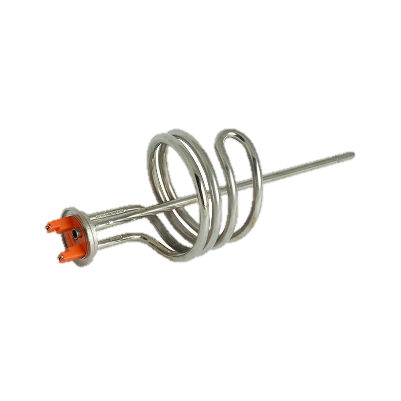 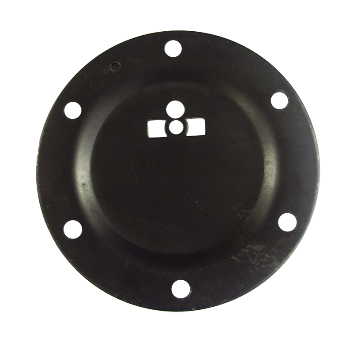 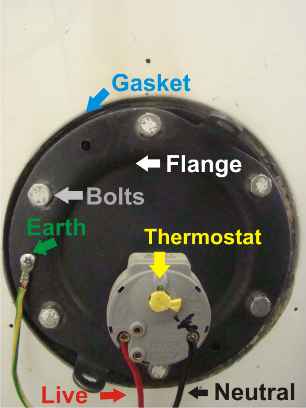 | TSE thermostat: Thermowatt (RTS) thermostat: 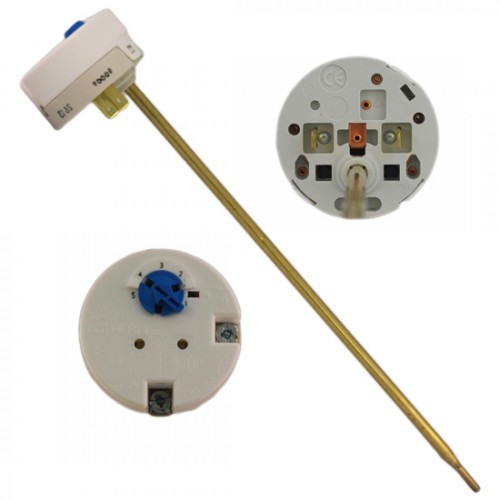 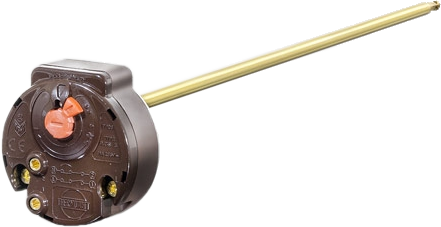 | The spiral element generally has a smaller thermostat pocket than the screw-in element. The TSE and Thermowatt (RTS) thermostats fit into this smaller pocket. The VKF-11 thermostat requires a larger pocket and does not fit into standard spiral element pockets. The TSE and Thermowatt thermostats normally clip directly into the element, but this won’t be the case when the Elon is connected. Use the bridging wire and element adapter supplied with the Elon (see Figures 4.1 to 4.4 above) to connect the Elon to these thermostats and elements. |
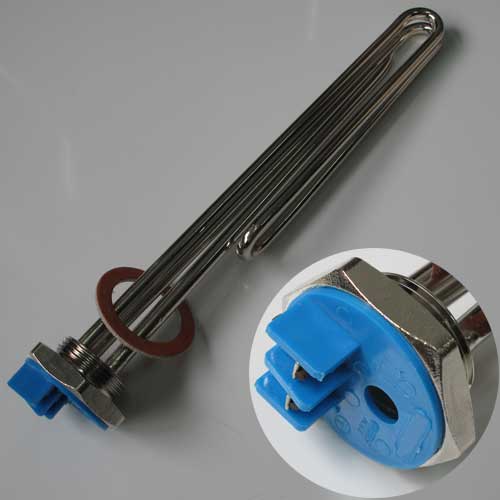 Screw-in element: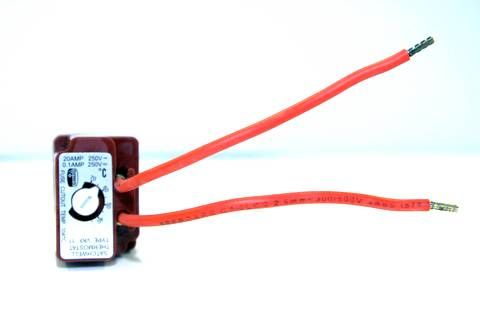
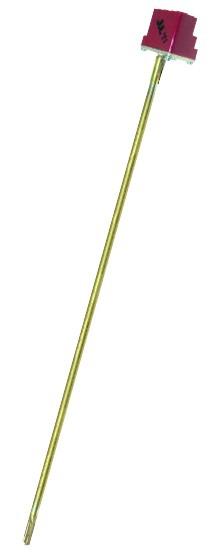 VKF-11 thermostat:
Appendix A. Solar yield
Note: only basic information is provided here. Your solar PV installation technician should advise on the best configuration for your specific location, roof structure, etc.
The yield produced by solar PV modules depends on a number of factors:
- Solar irradiance levels at your location (which varies with time of day, season and weather conditions)
- Geographic features at your location (e.g. mountains or buildings causing morning or afternoon shade)
- Azimuth and tilt of the modules
- Shading
- Ambient temperature (also influenced by wind)
A1. Solar irradiance levels
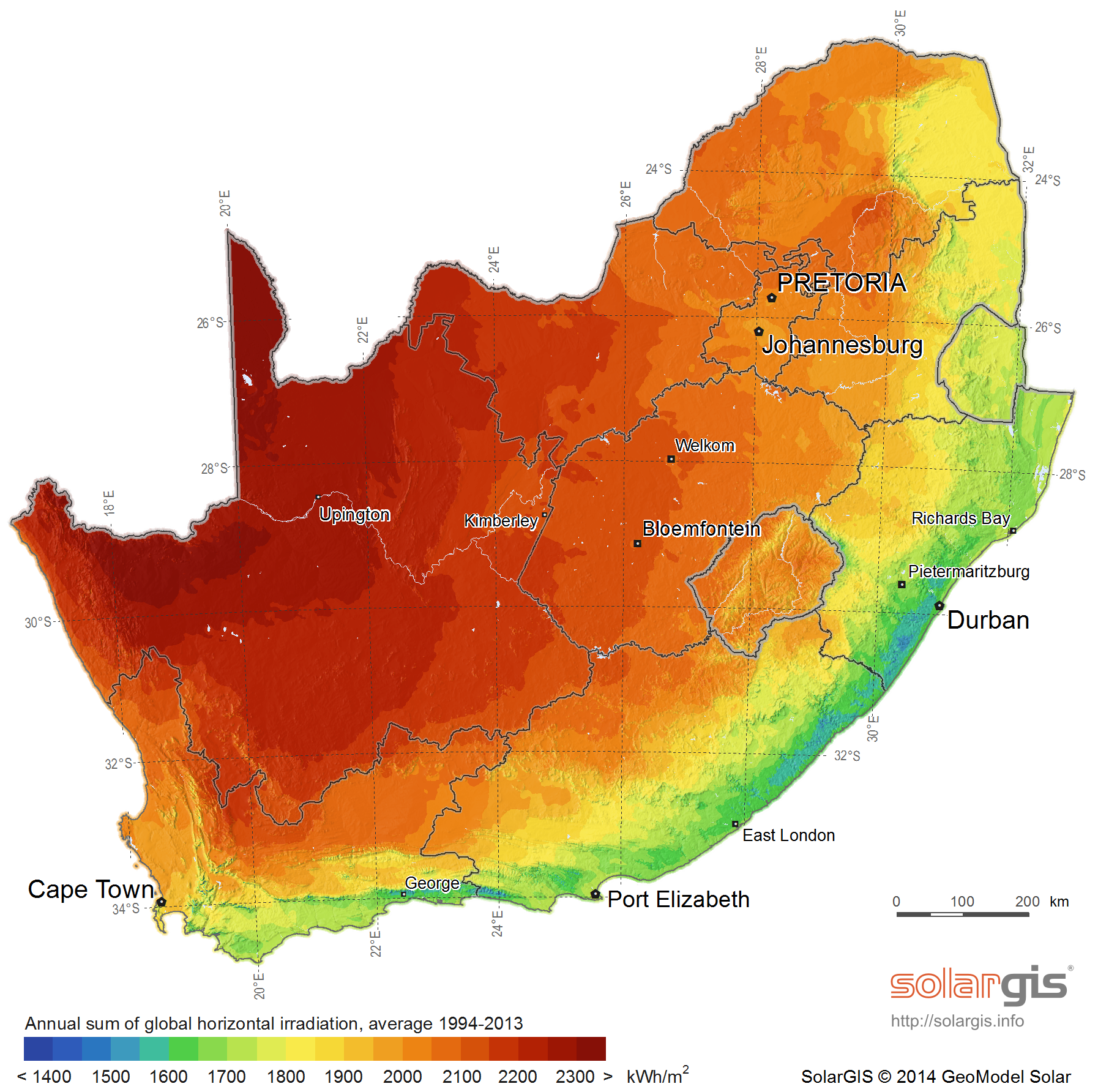
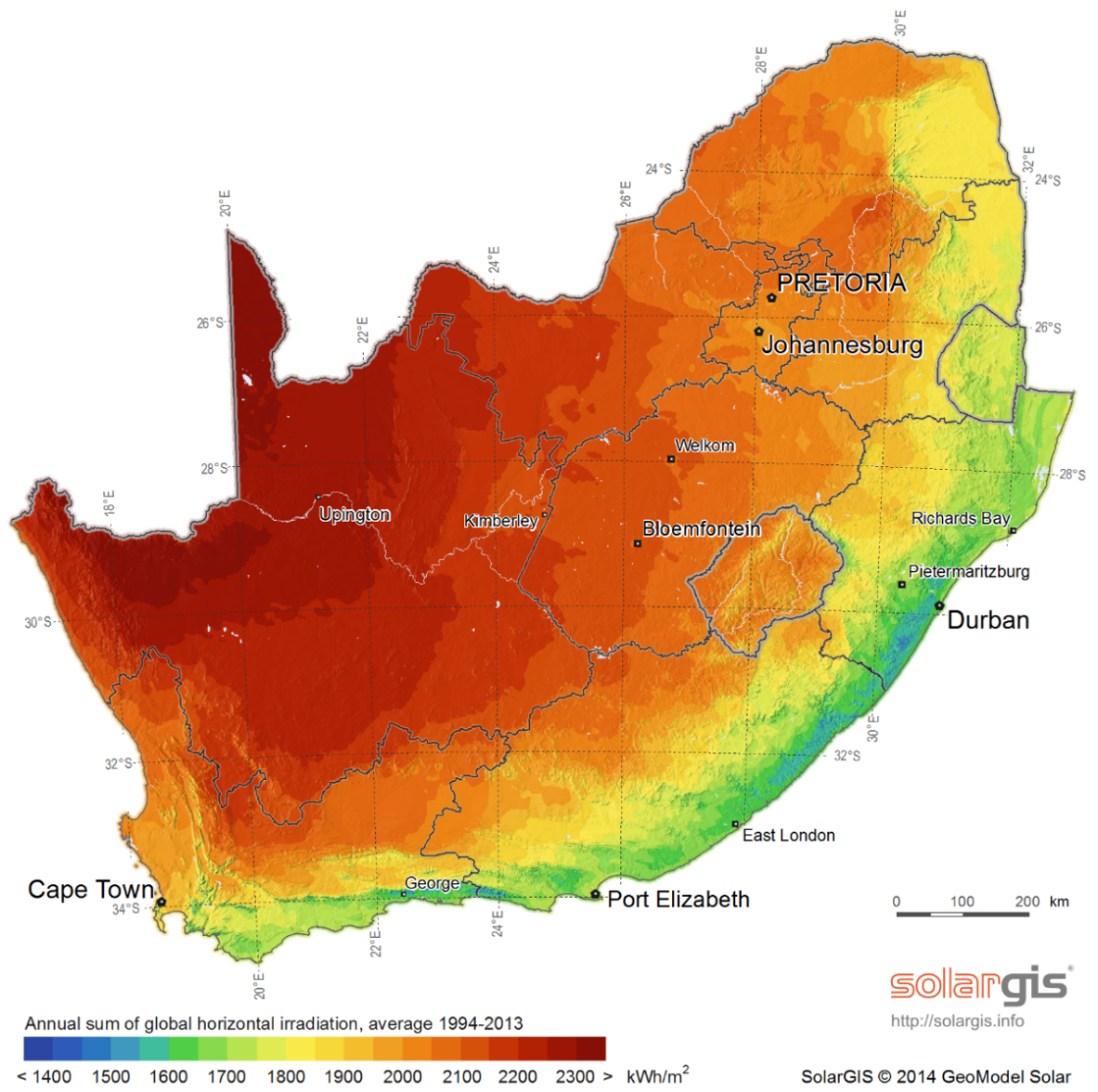 The map below shows the general solar irradiance levels (GHI or Global Horizontal Irradiance) in South Africa[1]:
You can expect the following approximate energy generation from solar modules for various locations[2]:
Location | Electricity generated kWh/kWp per year |
Bloemfontein | 2055 |
Cape Town | 1762 |
Durban | 1570 |
Johannesburg / Pretoria | 1871 |
Mbombela | 1766 |
Port Elizabeth | 1698 |
Upington | 2075 |
A2. Geographic features
 Major geographical features (such as hills or mountains) can reduce the total solar yield.
A3. Azimuth / horizontal angle
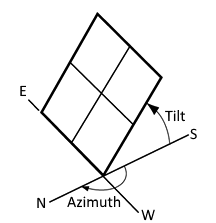
The azimuth refers to the horizontal orientation of the modules – in the Southern Hemisphere, by how many degrees they are oriented away from north
Due north is best in the Southern hemisphere. Modules should preferably not be oriented more than 15º away from due north.
A4. Inclination or tilt angle
The tilt angle refers to the vertical orientation of the modules – a rough guide is that the modules should be tilted at the site’s latitude. For example, Musina is 22º S, Pretoria & Johannesburg are 26º S, Bloemfontein is 29º S, Durban is 30º S and Cape Town & Port Elizabeth are 34º S. To optimise winter performance, one can add 15º to the tilt angle. (Note: as long as you are within about 15º of the optimal latitude, the loss in efficiency is not substantial.)
A5. Shading
Solar modules lose a lot of efficiency if even a small part of the module is shaded. For example, just 3% shading can cause a 25% loss in power! Shaded cells on a module also causes hotspots, which will reduce module lifetime.
It is thus important to place the solar modules on a rooftop area that is free from shading for as much as possible of the day (and throughout the year).
A6. Ambient temperature
Solar PV modules’ performance decreases with increasing temperature. Wind will reduce the temperature of the solar array and will thus improve performance. Thus, it is important to install rooftop solar modules with an air gap of at least 40 mm between the modules and roof[3].
Appendix B. Deciding on Size of Solar Array
Terminology used
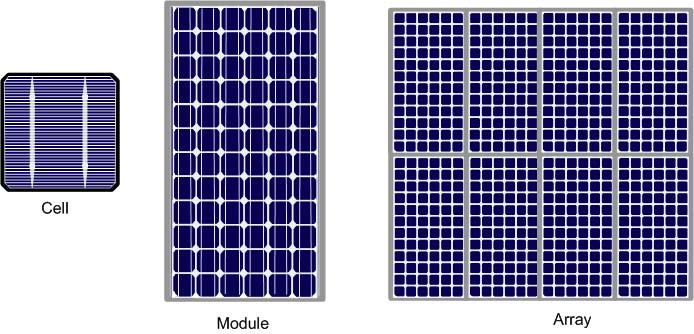
Solar power is generated by solar cells, which are arranged in framed modules, typically of 60 or 72 cells each. The total set of solar PV modules installed is referred to as a solar PV array[4].
The table below provides a basic guide to selecting the size of the Elon system based on number of people in the household and/or hot water use. Read on for a more detailed guide.
Number of solar PV modules | Showers per day* | 50%+ of daily hot water use provided for how many people? | How many people off-grid for hot water? | Solar PV array size (kWp) | Matching geyser element size (kW) | Geyser (water tank) size (litres) |
3 modules |   |
|
| 1.0 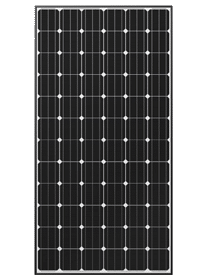 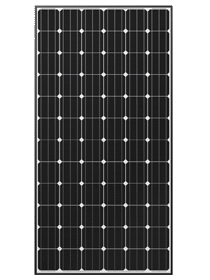 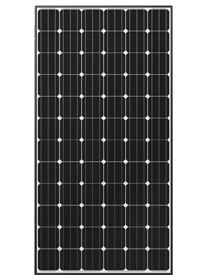 | 3 |
|
|    |   |
| 1.2 – 1.3 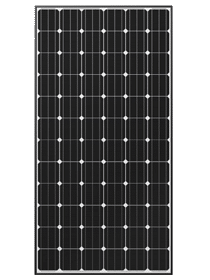 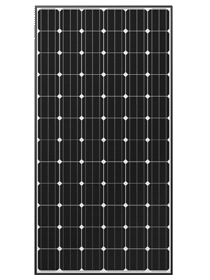 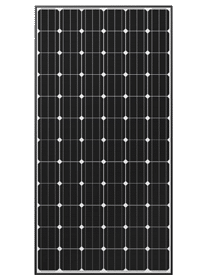 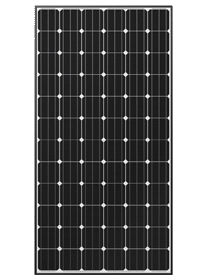 | 3 |
|
5 modules |
    |    |   | 1.5 – 1.7 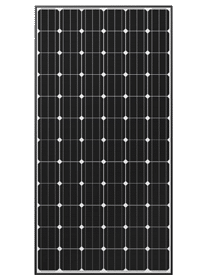 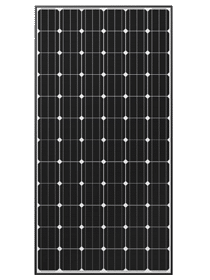 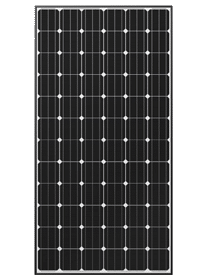 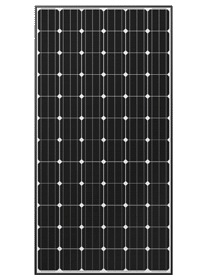  | 2 |
|
8 modules |       |
    |
   | 2.4 – 2.7    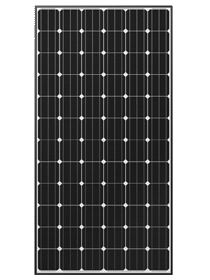 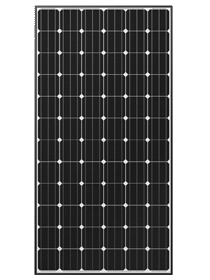 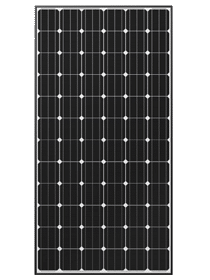 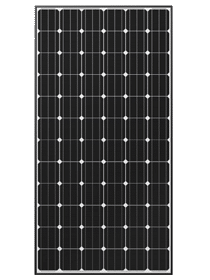 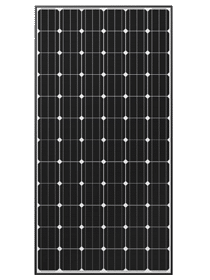 | 4 |
|
10 modules |         |      |     | 3 – 3.5 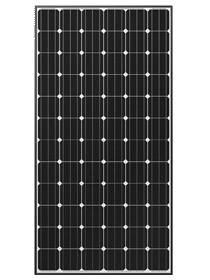 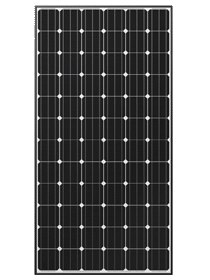 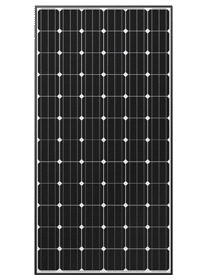 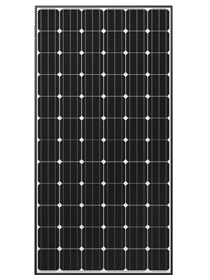 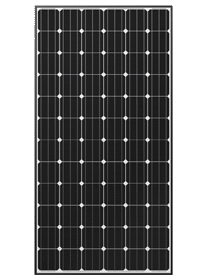 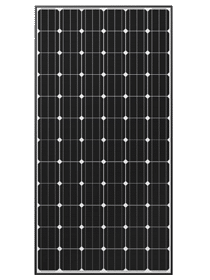 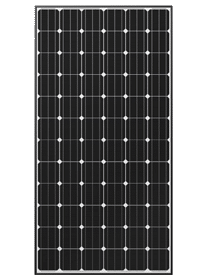 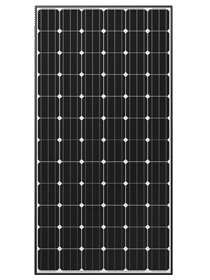 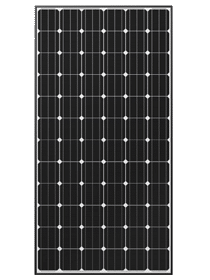 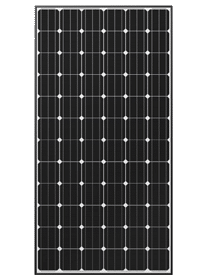 | 4 |
|


 100 - 150
 4 modules
 100 - 150
 100 – 150
 150 – 200
 200+
200+* 6-minute showers at 40 ºC with 8 litre/min (low-flow) showerheads
TABLE B1. ANNUAL AVERAGE LITRES OF WATER HEATED PER DAY
The below example table indicates the average number of litres of water per day that the system will heat from 15 to 60 °C over a year period for different solar array peak power ratings. (The amount of water heated will vary with weather conditions, by geographic location and by season. Water heated per day will be significantly lower in winter and significantly higher in summer. These numbers indicate heating capacity – i.e. if no hot water is used on a given day, there will be less water heated on that day. This is only an approximate guide.)
| Solar + Elon | Annual average litres of water heated per day for X kWp installed solar capacity | ||||||||||||||||
|---|---|---|---|---|---|---|---|---|---|---|---|---|---|---|---|---|---|---|
Location | kWh/kWp/yr | 0.8 kWp | 1 kWp | 1.2 kWp | 1.4 kWp | 1.6 kWp | 1.8 kWp | 2 kWp | 2.5 kWp | 3 kWp | 3.5 kWp | |||||||
Bloemfontein | 1894 | 80 | 99 | 119 | 139 | 159 | 179 | 199 | 249 | 298 | 348 | |||||||
Cape Town | 1624 | 68 | 85 | 102 | 119 | 136 | 154 | 171 | 213 | 256 | 299 | |||||||
Durban | 1447 | 61 | 76 | 91 | 106 | 122 | 137 | 152 | 190 | 228 | 266 | |||||||
Jhb/Pretoria | 1724 | 72 | 91 | 109 | 127 | 145 | 163 | 181 | 226 | 272 | 317 | |||||||
Mbombela | 1627 | 68 | 85 | 103 | 120 | 137 | 154 | 171 | 214 | 256 | 299 | |||||||
Port Elizabeth | 1565 | 66 | 82 | 99 | 115 | 132 | 148 | 164 | 205 | 247 | 288 | |||||||
Upington | 1912 | 80 | 100 | 121 | 141 | 161 | 181 | 201 | 251 | 301 | 352 | |||||||
Saldanha | 1623 | 68 | 85 | 102 | 119 | 136 | 153 | 170 | 213 | 256 | 298 | |||||||
Example:
For a solar array of 1.2 kWp, an installation in Johannesburg would yield about 1724 kWh/kWp/yr, or 1724 x 1.2 kWp = 2069 kWh/yr. This would be sufficient to heat on average 109 litres of water per day. For a family of 2 each using 80 litres of hot water per day, this would provide about 109 ÷ (80 x 2) or 68% of the annual hot water requirement.
TABLE B2. ANNUAL AVERAGE NUMBER OF SHOWERS PER DAY
The below table indicates the average number of showers per day for which the system will supply hot water over a year period for different solar array peak power ratings. (The amount of water heated will vary with weather conditions, by geographic location and by season. Water heated per day will be significantly lower in winter and significantly higher in summer. These numbers indicate heating capacity – i.e. if no hot water is used on a given day, there will be less water heated on that day. This is only an approximate guide.)
| Solar + Elon | Number of showers per day (based on annual average) for X kWp installed solar capacity | |||||||||
Location | kWh/kWp/yr | 0.8 kWp | 1 kWp | 1.2 kWp | 1.4 kWp | 1.6 kWp | 1.8 kWp | 2 kWp | 2.5 kWp | 3 kWp | 3.5 kWp |
Bloemfontein | 1894 | 2.4 | 3.0 | 3.6 | 4.2 | 4.8 | 5.4 | 6.0 | 7.5 | 9.0 | 10.4 |
Cape Town | 1624 | 2.0 | 2.6 | 3.1 | 3.6 | 4.1 | 4.6 | 5.1 | 6.4 | 7.7 | 9.0 |
Durban | 1447 | 1.8 | 2.3 | 2.7 | 3.2 | 3.6 | 4.1 | 4.6 | 5.7 | 6.8 | 8.0 |
Jhb/Pretoria | 1724 | 2.2 | 2.7 | 3.3 | 3.8 | 4.3 | 4.9 | 5.4 | 6.8 | 8.2 | 9.5 |
Mbombela | 1627 | 2.1 | 2.6 | 3.1 | 3.6 | 4.1 | 4.6 | 5.1 | 6.4 | 7.7 | 9.0 |
Port Elizabeth | 1565 | 2.0 | 2.5 | 3.0 | 3.5 | 3.9 | 4.4 | 4.9 | 6.2 | 7.4 | 8.6 |
Upington | 1912 | 2.4 | 3.0 | 3.6 | 4.2 | 4.8 | 5.4 | 6.0 | 7.5 | 9.0 | 10.5 |
Saldanha | 1623 | 2.0 | 2.6 | 3.1 | 3.6 | 4.1 | 4.6 | 5.1 | 6.4 | 7.7 | 9.0 |
The table is based on 6-minute showers at 40 °C and 8 litres/min low flow showerheads. Old showerheads can use up to 15 litres/min and would substantially reduce the number of showers.
Example:
For a solar PV array of 2.5 kWp, an installation in Johannesburg would yield about 1724 kWh/kWp/yr, or 1724 x 2.5 kWp = 4 310 kWh/yr. This would be sufficient for about 6 to 7 showers per day.
TABLE B3. PERCENTAGE OF ANNUAL HOT WATER REQUIREMENT
The below example table indicates what % of the annual hot water requirement will on average be supplied by the system for 2 people each using 80 litres of hot (60 °C) water per day. (The amount of water heated will vary with weather conditions, by geographic location and by season. Water heated per day will be significantly lower in winter and significantly higher in summer. These numbers indicate heating capacity – i.e. if no hot water is used on a given day, there will be less water heated on that day. This is only an approximate guide.)
Solar + Elon | Annual average % of hot water requirement supplied for 2 people each using 80 litres of hot water per day for X kWp installed solar capacity | ||||||||||
Location | kWh/kWp/yr | 0.8 kWp | 1 kWp | 1.2 kWp | 1.4 kWp | 1.6 kWp | 1.8 kWp | 2 kWp | 2.5 kWp | 3 kWp | 3.5 kWp |
Bloemfontein | 1894 | 50% | 62% | 75% | 87% | 99% | 112% | 124% | 155% | 187% | 218% |
Cape Town | 1624 | 43% | 53% | 64% | 75% | 85% | 96% | 107% | 133% | 160% | 187% |
Durban | 1447 | 38% | 47% | 57% | 66% | 76% | 85% | 95% | 119% | 142% | 166% |
Jhb/Pretoria | 1724 | 45% | 57% | 68% | 79% | 91% | 102% | 113% | 142% | 170% | 198% |
Nelspruit | 1627 | 43% | 53% | 64% | 75% | 85% | 96% | 107% | 134% | 160% | 187% |
Port Elizabeth | 1565 | 41% | 51% | 62% | 72% | 82% | 92% | 103% | 128% | 154% | 180% |
Upington | 1912 | 50% | 63% | 75% | 88% | 100% | 113% | 126% | 157% | 188% | 220% |
Saldanha | 1623 | 43% | 53% | 64% | 75% | 85% | 96% | 107% | 133% | 160% | 186% |
Examples:
An array of 1.2 kWp will provide approximately 64% of the annual hot water requirement for a family of two people in Cape Town.
An array of 2 kWp will provide approximately 124% x (4 / 2) = 62% of the annual hot water requirement for a family of four people in Bloemfontein.
TABLE B4. PEAK POWER OUTPUT FOR VARIOUS SOLAR MODULES AND ARRAY SIZES
The peak power production (Wp) of the modules at STC (Standard Test Conditions) and at NOCT (Nominal Operating Cell Temperature) are provided by the solar PV module manufacturer. The below table indicates the peak power at STC for a range of solar module power ratings and array sizes.
No. of cells per module | Module STC power rating (Wp) | Total peak power at STC in kWp for an array of X modules | ||||||
|---|---|---|---|---|---|---|---|---|
3 modules | 4 modules | 5 modules | 6 modules | 2 x 4 (8) modules | 2 x 5 (10) modules | 2 x 6 (12) modules | ||
60 | 250 | 0.75 | 1.00 | 1.25 | 1.50 | 2.00 | 2.50 | 3.00 |
60 | 255 | 0.77 | 1.02 | 1.28 | 1.53 | 2.04 | 2.55 | 3.06 |
60 | 260 | 0.78 | 1.04 | 1.30 | 1.56 | 2.08 | 2.60 | 3.12 |
60 | 265 | 0.80 | 1.06 | 1.33 | 1.59 | 2.12 | 2.65 | 3.18 |
60 | 270 | 0.81 | 1.08 | 1.35 | 1.62 | 2.16 | 2.70 | 3.24 |
60 | 275 | 0.825 | 1.10 | 1.375 | 1.65 | 2.20 | 2.75 | 3.30 |
60 | 280 | 0.84 | 1.12 | 1.40 | 1.68 | 2.24 | 2.80 | 3.36 |
60 | 285 | 0.855 | 1.14 | 1.425 | 1.71 | 2.28 | 2.85 | 3.42 |
60 | 290 | 0.87 | 1.16 | 1.45 | 1.74 | 2.32 | 2.90 | 3.48 |
72 | 295 | 0.885 | 1.18 | 1.475 | 1.77 | 2.36 | 2.95 | 3.54 NOT ALLOWED (exceeds maximum rated Elon 100 voltage) |
72 | 300 | 0.90 | 1.20 | 1.50 | 1.80 | 2.40 | 3.00 | 3.60 |
72 | 305 | 0.915 | 1.22 | 1.525 | 1.83 NOT ALLOWED (exceeds maximum rated Elon 100 voltage) | 2.44 | 3.05 | 3.66 |
72 | 310 | 0.93 | 1.24 | 1.55 | 1.86 | 2.48 | 3.10 | 3.72 |
72 | 315 | 0.945 | 1.26 | 1.575 | 1.89 | 2.52 | 3.15 | 3.78 |
72 | 320 | 0.96 | 1.28 | 1.60 | 1.92 | 2.56 | 3.20 | 3.84 |
72 | 325 | 0.975 | 1.30 | 1.625 | 1.95 | 2.60 | 3.25 | 3.90 |
72 | 330 | 0.99 | 1.32 | 1.65 | 1.98 | 2.64 | 3.30 | 3.96 |
72 | 335 | 1.005 | 1.34 | 1.675 | 2.01 | 2.68 | 3.35 | 4.02 |
72 | 340 | 1.02 | 1.36 | 1.70 | 2.04 | 2.72 | 3.40 | 4.08 |
Examples:
An array of 4 x 300 Wp modules in series will have a total peak power (at STC) of 1.2 kWp.
An array of 2 parallel strings of 5 modules of 280 Wp each (10 modules of 280 Wp in total) will have a total peak power (at STC) of 2.8 kWp.
Appendix C. PV array and geyser (water heater) element matching
TABLE C1. PV ARRAY AND GEYSER (WATER HEATER) ELEMENT MATCHING
It is important to match PV array specifications and heating elements for maximum power transfer efficiency. See the below table for the recommended heating element power rating for different solar module power ratings and array sizes.
No. of cells | Module STC power rating (Wp) | Module NOCT Vmpp (V) | Module NOCT Impp (A) | Best element size match (rated power in kW @ 230 V AC) for an array of X modules | ||||||
|---|---|---|---|---|---|---|---|---|---|---|
3 modules | 4 modules | 5 modules | 6 modules | 2 x 4 (8) modules | 2 x 5 (10) modules | 2 x 6 (12) modules | ||||
60 | 250 – 290 | 28 – 29 | 6.5 – 7.3 | 4 kW | 3 kW | 2 kW | 2 kW | 4 kW | 4 kW | 4 kW |
72 | 295 - 340 | 33 – 35 | 6.5 – 7.3 | 3 kW | 2 kW | 2 kW | NA | 4 kW | 4 kW | NA |
* mpp = maximum power point
STC = Standard Test Conditions (irradiance 1000 W/m², spectrum AM 1.5, cell temperature 25 °C)
NOCT = Nominal Operating Cell Temperature (800 W/m², spectrum AM 1.5, cell temperature ~ 43 – 45 °C)
NA = Not Allowed (exceeds maximum rated Elon 100 voltage)
NR = Not Recommended (poor array-heating element matching efficiency)
Example:
For 4 x 300 Wp (1.2 kWp) solar modules, the best heating element match is a 2 kW AC element (as rated at 230V).
TABLE 6. ALTERNATIVE MATCHING (ABOUT 5 – 10% EFFICIENCY LOSS COMPARED TO THE ABOVE TABLE)
No. of cells | Module STC power rating (Wp) | Module NOCT Vmpp (V) | Module NOCT Impp (A) | Best element size match (rated power in kW @ 230 V AC) for an array of X modules | ||||||
|---|---|---|---|---|---|---|---|---|---|---|
3 modules | 4 modules | 5 modules | 6 modules | 2 x 4 (8) modules | 2 x 5 (10) modules | 2 x 6 (12) modules | ||||
60 | 250 – 290 | 28 – 29 | 6.5 – 7.3 | 3 kW | 2* or 4 kW | 3 kW | NR | NR | NR | 3 kW |
72 | 295 - 340 | 33 – 35 | 6.5 – 7.3 | 4 kW | 3 kW | 3* kW | NA | NR | 3 kW | NA |
* Marginal (10%+ loss)
Example:
For 4 x 300 Wp (1.2 kWp) solar modules, the best heating element match is a 2 kW AC element (as rated at 230V), but a 3 kW element can also be used. It will have about 5 - 10% efficiency loss compared to a 2 kW element.
Contact PowerOptimal for advice on array-element matching if module properties (Vmpp and Impp at NOCT) are significantly different to the values provided in the table.
DO NOT DEVIATE FROM THE RECOMMENDED ARRAY-ELEMENT MATCHING CONFIGURATIONS WITHOUT CONSULTING POWEROPTIMAL.
Appendix D. Technical Specification Summary: Elon 100
Refer to the PowerOptimal website for the full Technical Specification www.poweroptimal.com/specifications
Rated input voltage | 250V AC, 220V DC |
Rated input current | 25A AC, 20A DC |
Mains (AC) voltage range | -50% to +100% (but will disconnect all loads when breach is greater than +/- 15%) |
System power supply | Solar or 230V AC mains |
Shutdown | Sufficient power supply capacity to manage processor, switching and data storage if both mains and solar supply fail |
Solar voltage | 20 – 220 V DC |
Solar energy availability | Automatically determines availability of sufficient solar energy before supplying load from solar modules |
Efficiency control | Can be adjusted to run from “solar only” to substantial AC mains power usage |
Override switch | A request (override) switch to force the managed load to use AC mains for one heating cycle is provided |
Thermostat | Uses the standard normally open thermostat switch associated with the geyser element as a sensor only, with less than 10mA sense current, to control power to the element |
Reverse polarity protection | Protected against reverse connection of solar array |
Switching timing | Built-in random numbers generation staggers switching times where more than one Elon 100 is deployed |
Enclosure ingress protection rating | IP65 |
Annual energy production compared to inverter-based system | > 90% when solar array and geyser element are matched correctly |
It is important to match modules and heating elements for maximum power transfer efficiency. See the tables in Appendix C for the recommended heating element power rating for different solar module specifications and array configurations.
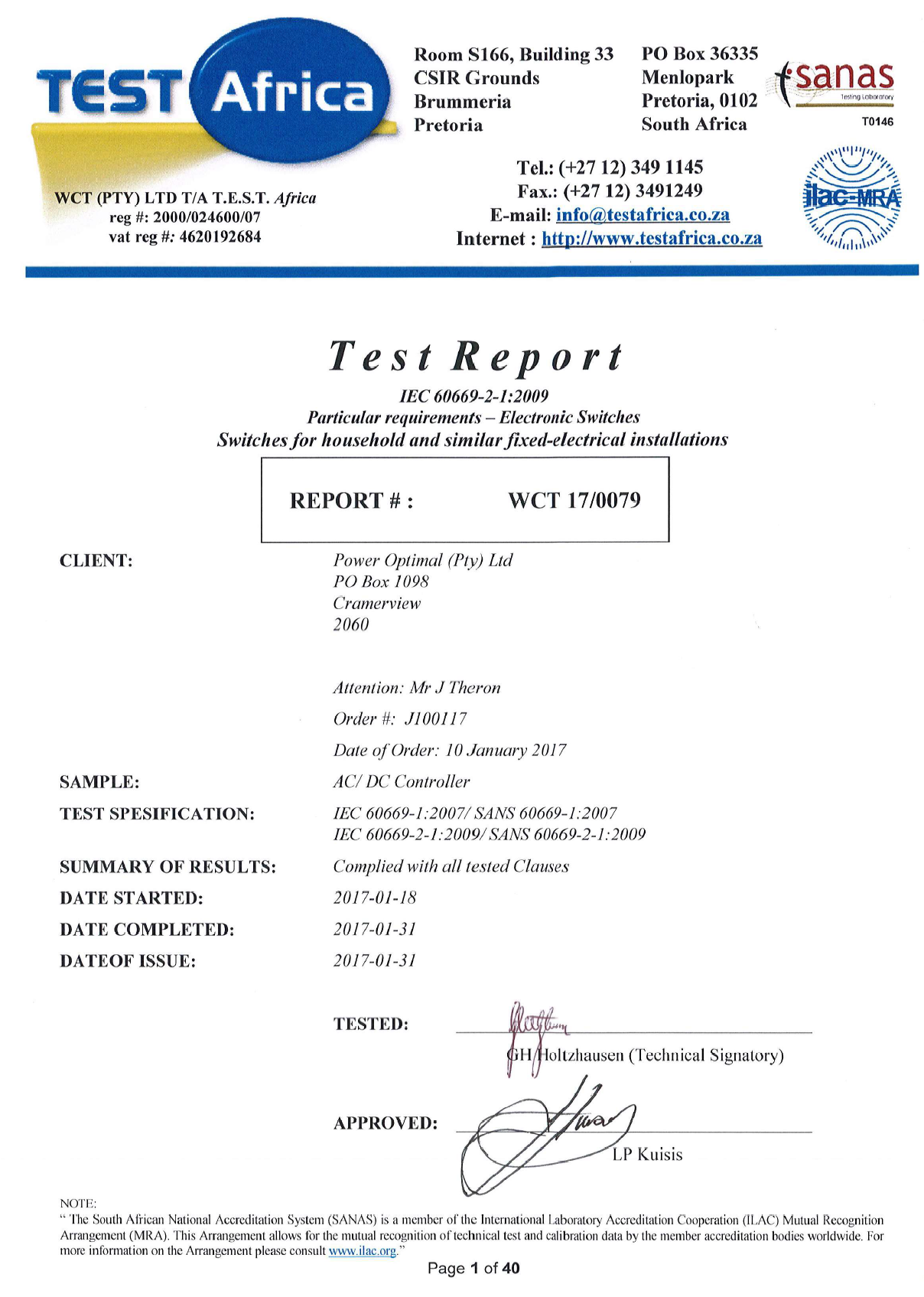
Appendix E. IEC/SANS Test Certificate: Elon 100
Appendix F. Warranty
If the PowerOptimal ElonTM 100 (“the Product”) is found to be defective, you will be entitled to a repair or replacement within 2 (two) years of the date of delivery of the Product to you. Please keep your receipt as proof of purchase. If you are a consumer as defined in the Consumer Protection Act No. 68 of 2008 (“the CPA”), you will be entitled to such remedies as are made available under the CPA in relation to the return of goods.
PowerOptimal will not have any liability or obligation to you where the Product has been subjected to abuse, misuse, improper use, improper testing, negligence, accident, alteration, tampering or repair by a third party.
To the maximum extent permitted by applicable law, in no event shall PowerOptimal be liable for any special, incidental, indirect, or consequential damages whatsoever, including, without limitation, damages for loss of business profits or business interruption, arising out of the use or inability to use this product.
Please note that this unit must be installed by an electrical contractor registered with the Department of Labour. Failure to do so may invalidate this warranty.
Appendix G. Terminology
AC Alternating Current – an electric current that reverses its direction many times a second at regular intervals, with voltage typically varying in the form of a sine wave.
CoC Certificate of Compliance – to be issued by the electrician installing your Elon 100 system
CPA Consumer Protection Act No. 68 of 2008
DB Distribution board – the main electrical distribution board / panel in your home, containing circuit breakers and switches.
DC Direct Current – an electric current flowing in one direction only. Solar PV modules produce direct current electricity.
Geyser South African term for a water heater
IEC International Electrotechnical Commission
Impp The solar module current at maximum power point (MPP). Manufacturers usually report two Impp values: one at STC and one at NOCT.
kWh A derived unit of energy equal to 3.6 MJ (megajoules). The amount of energy used by a 1 kW electrical device over a period of 1 hour.
kWp or Wp The peak power rating in kilowatt (kW) or watt (W) of a solar module or array – i.e. the output power achieved under full solar radiation. This is usually reported at STC and NOCT.
MPP Maximum power point. This is the point on a solar cell, module or array’s power or I-V (current-voltage) curve that has the highest power output.
NOCT Nominal Operating Cell Temperature. This refers to the temperature that open circuited solar PV modules will reach under conditions that more closely match actual field operational conditions than STC. The modules are tested at 800 W/m² simulated solar irradiance, 20 °C ambient temperature, 1 m/s wind velocity and open back side mounting. Depending on the quality of the cell / module design, the NOCT can reach anything from 33 to 58 °C[5]. Since solar PV cell power output reduces with increase in temperature, a lower NOCT is better.
PV Photovoltaic – referring to the production of electric current at the junction of two materials exposed to light.
SANS South African National Standards
STC Standard Test Conditions for solar cells – 1000 W/m² simulated solar irradiance and 25 °C solar cell temperature, and an air mass 1.5 spectrum (AM1.5).
Vmpp The solar module voltage at maximum power point (MPP). Manufacturers usually report two Vmpp values: one at STC and one at NOCT.
Notes
CRSES (Centre for Renewable and Sustainable Energy Studies). Website: http://www.crses.sun.ac.za/files/research/publications/SolarGIS_GHI_South_Africa_width15cm_300dpi.png. Last accessed: 07/04/2017. ↑
Urban Energy Support. Website: http://www.cityenergy.org.za/uploads/resource_274.pdf. Last accessed: 07/04/2017. ↑
D’Orazio M et al. 2013. Performance assessment of different roof integrated photovoltaic modules under Mediterranean Climate. ↑
Image source: http://ohioline.osu.edu/factsheet/AEX-652-11. ↑
Source: http://pveducation.org/pvcdrom/modules/nominal-operating-cell-temperature. ↑