
PowerOptimal Elon® 100 Troubleshooting Basics for Technicians v2.3
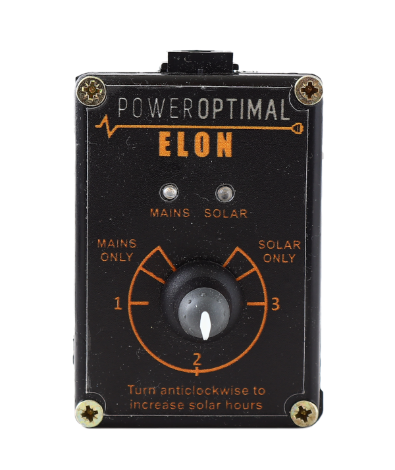
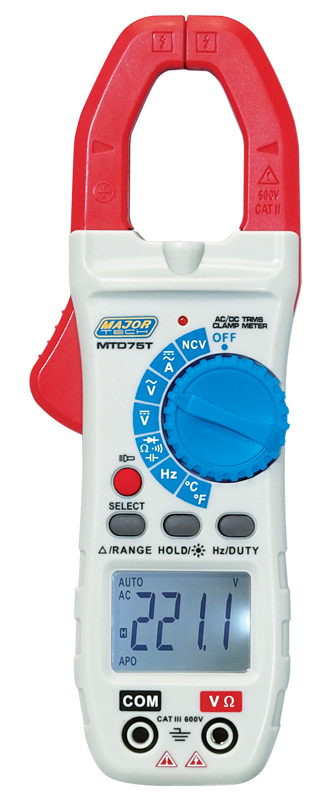
NOTE: This Troubleshooting Guide is intended for technicians and not general users. Users should please refer to the User Manual, which can be found at www.poweroptimal.com/manuals. Please see page 7 for a summary of the Elon®’s controller and LED lights. You will need an AC & DC Multimeter with clamp adapter. Always check the PowerOptimal website for the latest version of this guide.
Information about the Site
Unit no. | Development name | Elon® serial no. | ||||||||
Date | Name: 1st level support person | |||||||||
Unit construction status (Works OR Final Completion) | Resident name | |||||||||
Reported issue (customer) | Reported issue (Level 1 Support) | |||||||||
A Few Notes Before You Start
- If you have a test / extra remote control (little black box with the control dial & lights), plug it into the Elon® unit.
- If you identify the problem at a specific step, you can stop there and write your conclusion.
- If you replace an Elon®, thermostat, element or wiring, you should commission the system again as per the Installation Manual.
On Arrival at Site – Preparation Checks
No. | Action | Notes | Result / Comments |
|---|---|---|---|
1 | Talk to Client / Manager to find out what the issue is. | Was it a new install or a retrofit? Was the issue present from the start, or did the issue start some time after installation? | 🞏 |
2 | Is geyser AC on at house DB? | Check that the geyser is switched on at the main house DB. Is there power in the house (i.e. it’s not loadshedding or no prepaid credits)? | 🞏 |
3 | Is there a geyser timer installed? | Check if there is a separate geyser timer installed at the house DB or elsewhere on the AC wiring to the geyser. A separate timer is NOT recommended, as it will work at cross-purposes with the Elon and you will reduce performance and hot water availability. Uninstall or bypass the geyser timer. | 🞏 |
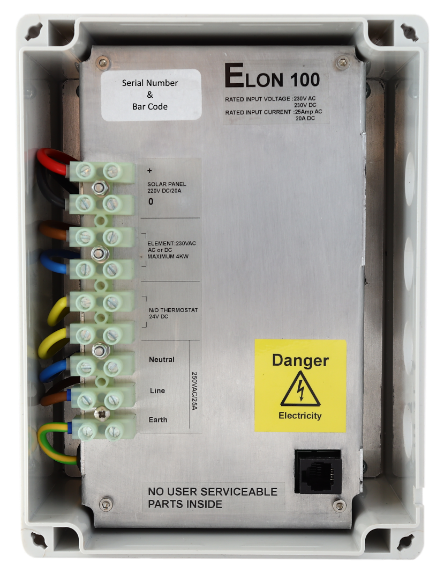
Terminals | ||
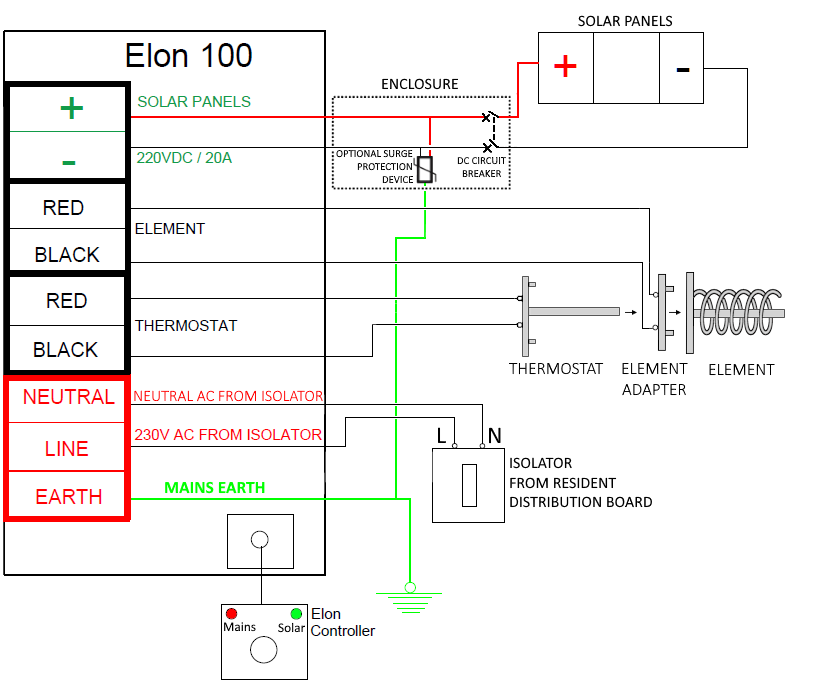
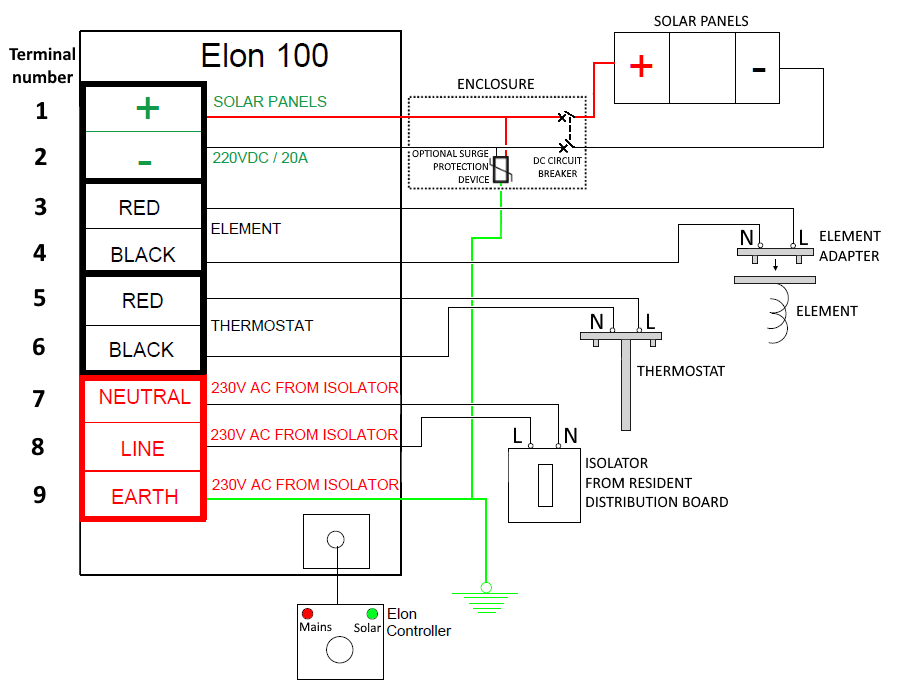
1 2 | SOLAR | |
3 4 | ELEMENT | |
5 6 | THERMOSTAT | |
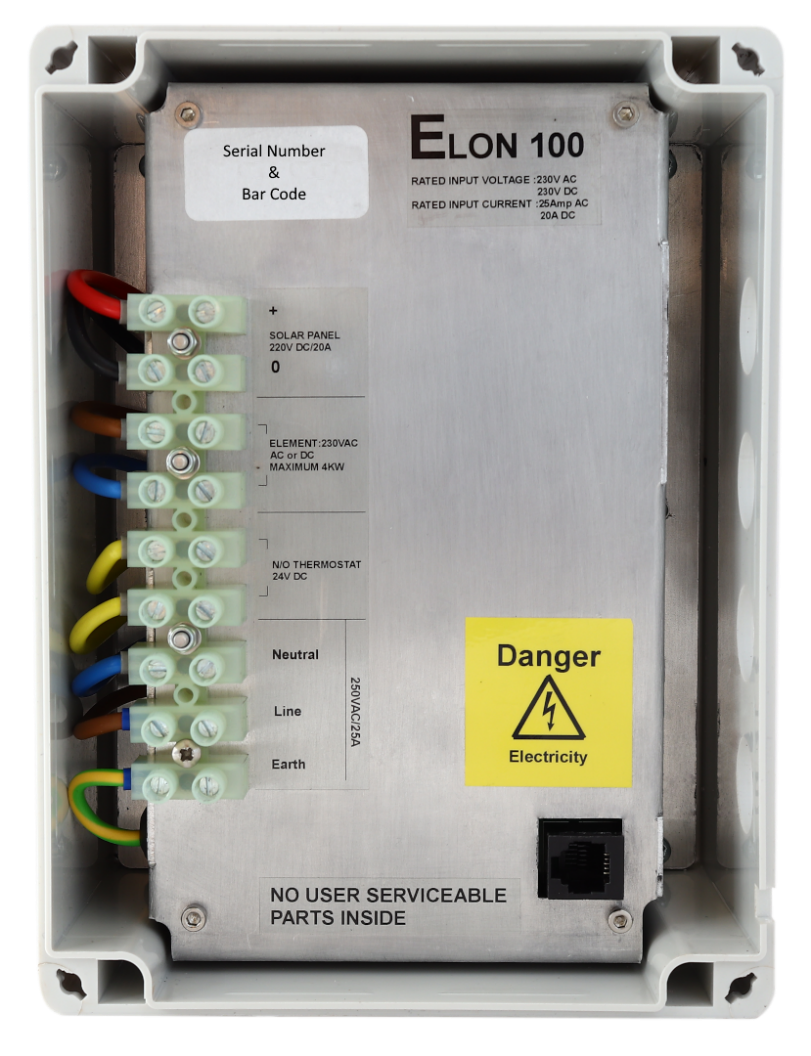
7 8 9 | GRID |
When You are at the Geyser & Elon unit
What was the issue? | |
What did you do to fix it? |
For assistance call Johan Theron @ 083 600 1827
Things to Remember
- Note: Once the dial has been turned to “MAINS ONLY”, it will complete a full mains heating cycle (until the thermostat opens). Turning the control back to “SOLAR ONLY” at this point will not immediately switch the unit back to solar power. It will only switch back again after the mains heating cycle is completed (i.e. the thermostat opens) and the thermostat then closes again. You can finish the mains heating cycle faster by reducing the thermostat temperature setting until the thermostat opens. Test solar power first.
- Fast flashing red / green LEDs indicate either:
- a short between a PV (photovoltaic) lead and earth – this condition prevents solar power to the element;
- a partial short of the element to earth, e.g., a puncture exposing element to water. This condition can be ruled out by disconnecting both wires to the element. If the LEDs stop flashing after about 20 seconds, the element is faulty. If the LEDs continue flashing, then the cause is likely as per item a. above.
- Please note: wait at least 20 seconds after any disconnection or other correction step for the LEDs to stop flashing.
- If no lights on remote control, then follow these steps:
- Check that the remote control cable is properly (fully) inserted at both ends (both at the Elon and the remote control).
- Change out the remote control. If lights now come on, the remote control is faulty. You can service the remote control by opening it up, spraying the inside with contact cleaner, turning the dial a few times and retesting. If this doesn’t work, install the new remote control.
- If lights still don’t come on, plug a new cable and the old remote control into the Elon. If the lights now come on, the remote control cable is faulty. Install the new cable.
- If the lights still don’t come on, either all power to the Elon is off, or the Elon is faulty.
The Mains & Solar indicator lights (LEDs) indicate the following conditions:
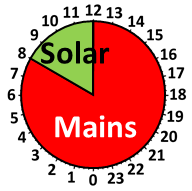
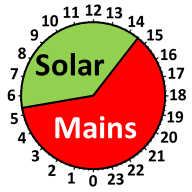
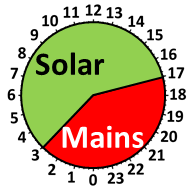
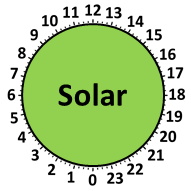
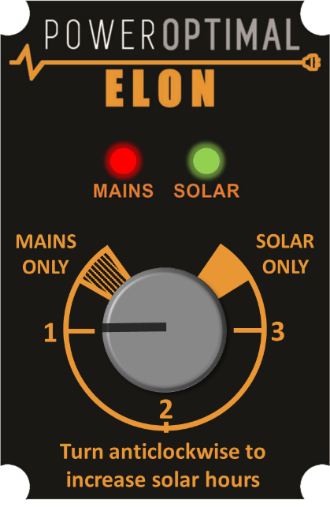
The control dial sets the mains & solar times as follows:
Time on Mains* | Time on Solar* | 24-Hour Clock | |
MAINS ONLY | 24 hr | Never |
|
1 | 12:00 to 08:00 | 08:00 to 12:00 |
|
2 | 14:30 to 05:30 | 05:30 to 14:30 |
|
3 | 17:00 to 03:00 | 03:00 to 17:00 |
|
SOLAR ONLY | Never | 24 hr |
|

| Lights (LEDs) | Meaning |
⏺⏺ | Green light ON | Geyser on temperature |
| Green light flashing | Heating with solar |
⏺⏺ | Red light ON | Mains power available (power to Elon® unit on) |
⏺⏺ | Red light flashing | Heating with mains |
⏺⏺ | Both lights ON | Geyser is on temperature. Mains power available (mains power to Elon® unit on) |
⏺⏺ | Red light ON & Green light flashing | Heating with solar. Mains power available (mains power to Elon® unit on) |
| Red & Green light flashing fast | Isolation fault (contact electrician) |
⏺⏺ | Both lights OFF | No power to unit (e.g. no sun + power failure, or no sun + geyser breaker at DB board is switched off) OR supply voltage outside specifications |


 ⏺⏺
⏺⏺
 ⏺⏺
⏺⏺
* Times are approximate – will vary slightly with season and location
 Pictures of main items
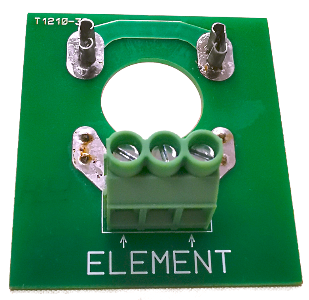
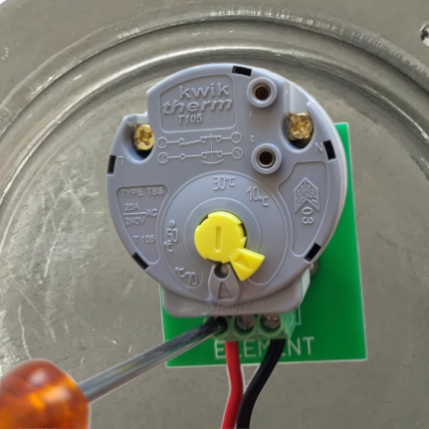
Element adapter plugged into geyser element, with thermostat plugged into element adapter
Element adapter
Example AC/DC multimeter
Elon 100 remote control
Elon 100 main unit with lid off
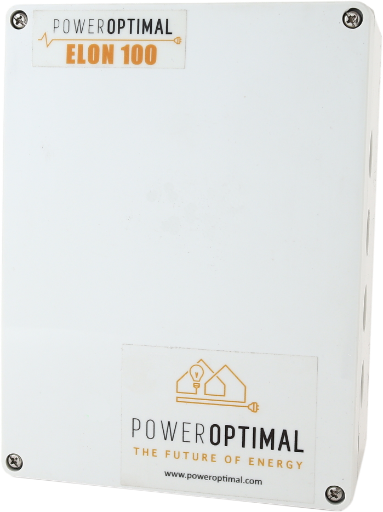
Elon 100 main unit with lid on